🏅 Certificate Maker
Pick an award (or write your own), paste your class list, and every certificate comes out with the student's name already on it: one landscape page each, ready for the printer. End-of-year awards for a class of 28 take about a minute instead of an afternoon.
🖨️ Prints on one page ⚡ Instant preview 🆓 Free, no sign-up
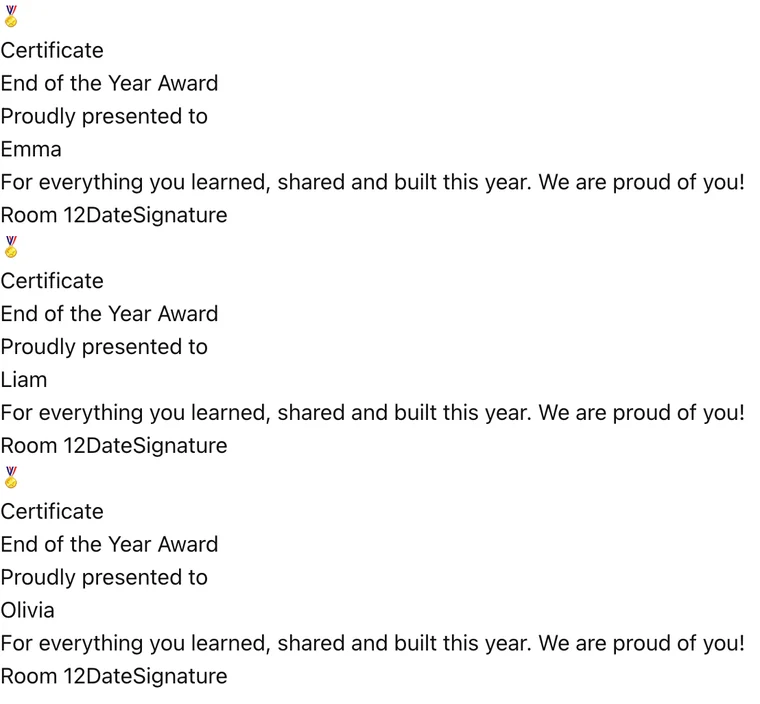
One landscape certificate per student. Date and signature print as blank lines to fill in by hand.
What it prints
How to make a certificate in 4 steps
- 1 Type the name Spelled the way the child spells it, accents included. Getting it wrong on a certificate is worse than not giving one.
- 2 Write the real reason Not the category. 'For rewriting the volcano report three times' beats 'Great Effort' by a distance.
- 3 Add the date and your name A date turns it into a record of a moment. Leave room to sign it by hand.
- 4 Print on cardstock 160gsm or heavier, at Actual Size. Plain paper folds in a bag on the way home.
Certificates work until they are handed to everyone
Worth saying plainly, because it is the whole game with certificates: their value comes entirely from being specific. A certificate that says Great Work with a name filled in is a piece of paper. A certificate that says what the child actually did is something that ends up on a fridge for a year.
The research on rewards is less encouraging than the staffroom assumes. Rewarding something a child already enjoys tends to reduce the enjoyment. Rewarding effort on something hard, and naming what the effort was, does not have that problem.
The practical rule: certificates for effort, persistence and specific improvement. Not for being naturally good at something, and not for participation, which children read correctly as meaning nothing.
Wording that is worth printing
Replace the category with the evidence. The difference is about eight words and it is the whole difference between a keepsake and recycling.
| Instead of | Write |
|---|---|
| Star of the Week | For reading aloud in assembly when it was terrifying |
| Great Effort | For rewriting the volcano report three times |
| Excellent Maths | For finally cracking long division in March |
| Good Behaviour | For looking after the new kid all term |
| Participation | Do not print it |
Printing that survives a backpack
Print on 160gsm cardstock or heavier. Standard 80gsm paper folds in a bag on the way home and arrives looking like homework, which undoes the point.
Set the printer to Actual Size rather than Fit to Page. Fit to Page shrinks the design by a few percent and leaves an uneven white margin that reads as amateur.
Landscape holds a name and a reason more comfortably than portrait. If the reason runs to two lines, that is correct and the layout expects it.
Sign it by hand in real ink. A printed signature is visible at a glance and it says the certificate was generated rather than given.
When to hand them out
Unpredictably. A certificate given every Friday to whoever is due becomes a rota, and children work out the rota within a month.
Given rarely and for a real reason, they carry weight. Given on a schedule, they become a queue. If you are running a weekly award anyway, at least vary what it is for so it cannot be predicted.
The certificates worth giving
A short list of moments where a printed certificate genuinely lands, drawn from what children keep rather than what schools award.
The end of something hard that took months: learning to swim a length, finishing the reading scheme, getting through a term of speech therapy. The effort is visible to the child and naming it out loud matters.
A specific act of decency that nobody asked for. These are almost never covered by the standard award categories and they are the ones children remember being seen for.
A private improvement, given privately. A child who has gone from refusing to write to producing half a page does not always want it announced in assembly. Handed over quietly at the end of the day, it can be the most effective one of the year.
And the one to avoid: the consolation certificate given to the child who did not win something else. Children read it accurately as a marker of not winning, and it does the opposite of what it was meant to do.
Frequently asked questions
Can I print a certificate for every student at once?
Yes. That's the main trick. Paste the whole class list, one name per line, and the preview builds one certificate per student. Hit print once and the entire stack comes out in order, each on its own landscape page. No mail-merge, no editing forty files.
Can I change the award wording?
Everything on the certificate is editable: the award title, the message underneath, and the line at the bottom for your class or school. The presets (end of year, reading, graduation, kindness) are just starting points: overwrite them freely.
Where do the date and signature go?
They print as blank lines at the bottom, on purpose. A certificate signed by hand in front of the class lands better than one with a typed date, and it means you can print the stack days early.
What paper should I print certificates on?
Cardstock (65-80 lb) makes them feel like real awards, but plain paper works fine for classroom sets. No color printer? Pick any theme anyway: the borders and lettering print crisp in grayscale, and kids honestly care more about their name in fancy writing than about the ink.
Is there really no watermark?
None. No logo in the corner, no 'made with' footer, no account wall before printing. The certificate belongs to your student, not to a website.
What should a certificate actually say?
What the child did, in a sentence. 'For reading aloud in assembly when it was terrifying' is a keepsake; 'Star of the Week' is a piece of paper. The specificity is the entire value, and it costs about eight extra words.
What paper should I print certificates on?
160gsm cardstock or heavier, with the printer set to Actual Size rather than Fit to Page. Standard paper folds in a backpack and arrives looking like homework, and Fit to Page leaves an uneven white margin that reads as amateur.